

Connect a payment processor
Link your payment processor to Bolt, or use Bolt Payments as your payment facilitator.
Connect a third-party payment processor to your Bolt merchant account, or use Bolt Payments as your payment facilitator.
To use Bolt Payments as your payment facilitator, follow the Bolt Payments onboarding flow. That path differs from connecting an external PSP.
Before you begin
- Tell your CSM which payment processors you want enabled.
- You must be an admin on your Bolt merchant account.
Add a payment processor
- Log into the Bolt Merchant Dashboard.
- Go to Settings > Payments.
- Under Debit and Credit Cards, choose the processor to add.
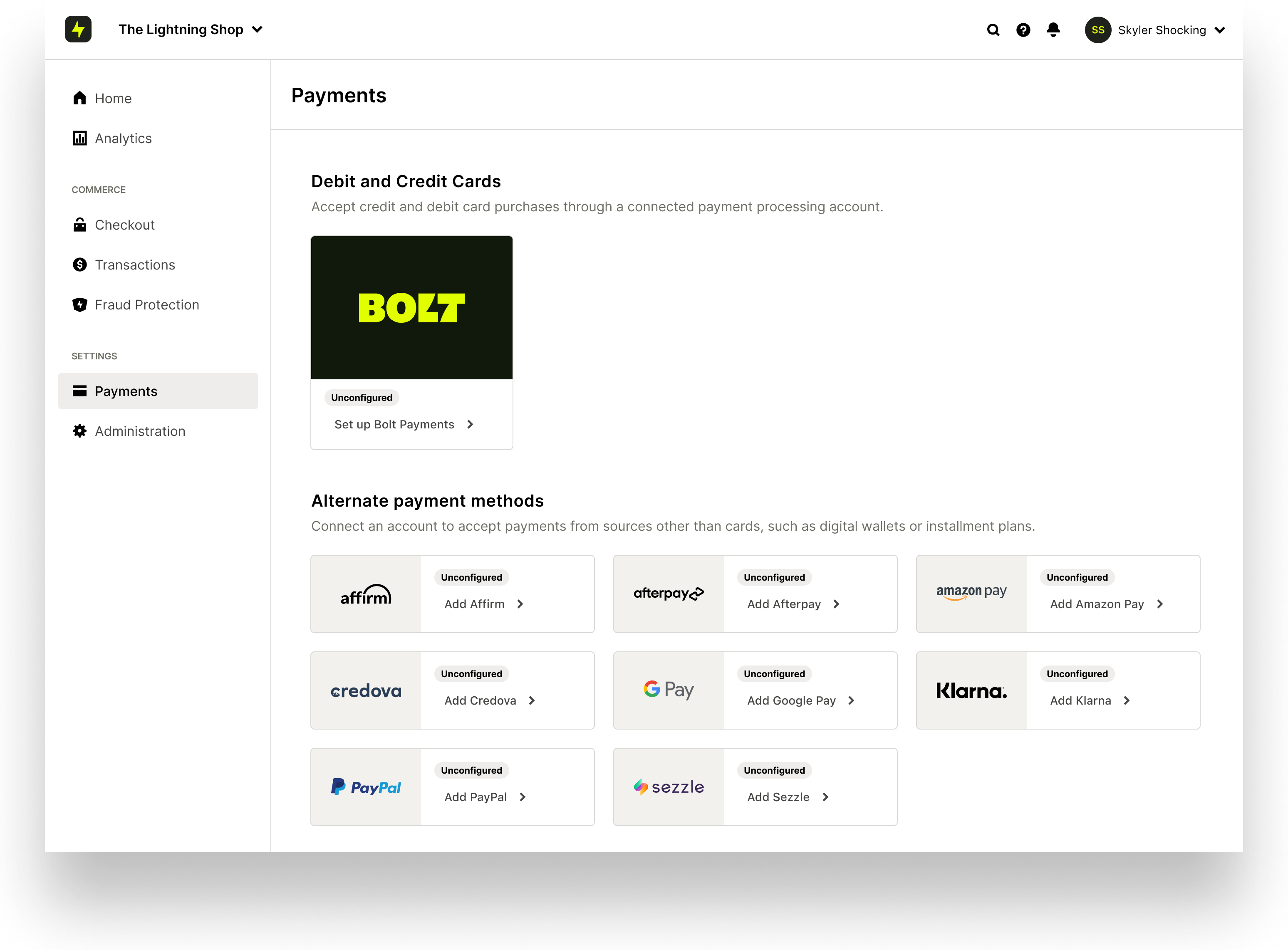
- Enter the account keys for that processor. See the processor setup guides.
- Configure payment settings for how processing should work.
- Confirm the active processor appears on the Payments page.
Expected result: Your processor is listed as active under Settings > Payments.
Configure processor risk settings
When a shopper uses a saved card, Bolt does not transmit CVV data to processors. Configure risk settings so missing CVV does not trigger auto-declines:
- Log into your payment processor account.
- Allow transactions that do not include CVV match data.
For processor-specific steps, use the guides below.
If you do not use Bolt's Fraud Protection, tell your fraud provider that payments through this processor will not include CVV match information.
Implementation overview
Timeline
Processor setup typically takes 2 to 4 weeks, depending on communication speed and account complexity. Your Success team can estimate timelines for your account.
Details required
| General requirements | If direct debit |
|---|---|
| Business name | Company name registered with bank |
| Address | Bank branch name |
| Customer service phone | Bank routing number |
| Customer service email | Bank account number |
| Website URL | |
| Time zone | |
| Support email | |
| Support phone | |
| Contact (name, title, email, phone) |
Processor setup guides
| Processor | Guide |
|---|---|
| Stripe | Set up Stripe |
| Adyen | Set up Adyen |
| Authorize.net | Set up Authorize.net |
| Braintree | Set up Braintree |
| NMI | Set up NMI |
| CardConnect | Set up CardConnect |
| Checkout.com | Set up Checkout.com |
| CyberSource | Set up CyberSource |
| PayPal Payflow Pro | Set up PayPal Payflow Pro |
| Radial | Set up Radial |
| Rocketgate | Set up Rocketgate |