Set up a usage-based plan
Create a plan billed on usage, connect your event feed, and verify the first invoice.
Complete Get started first. Before you open the form, decide on the meter, which defines what is counted, and the charge model, which defines what it costs.
Create the plan
- In the Commerce section of the left navigation, click Subscriptions.
- On the Products tab, click Create Product and fill in the product step.
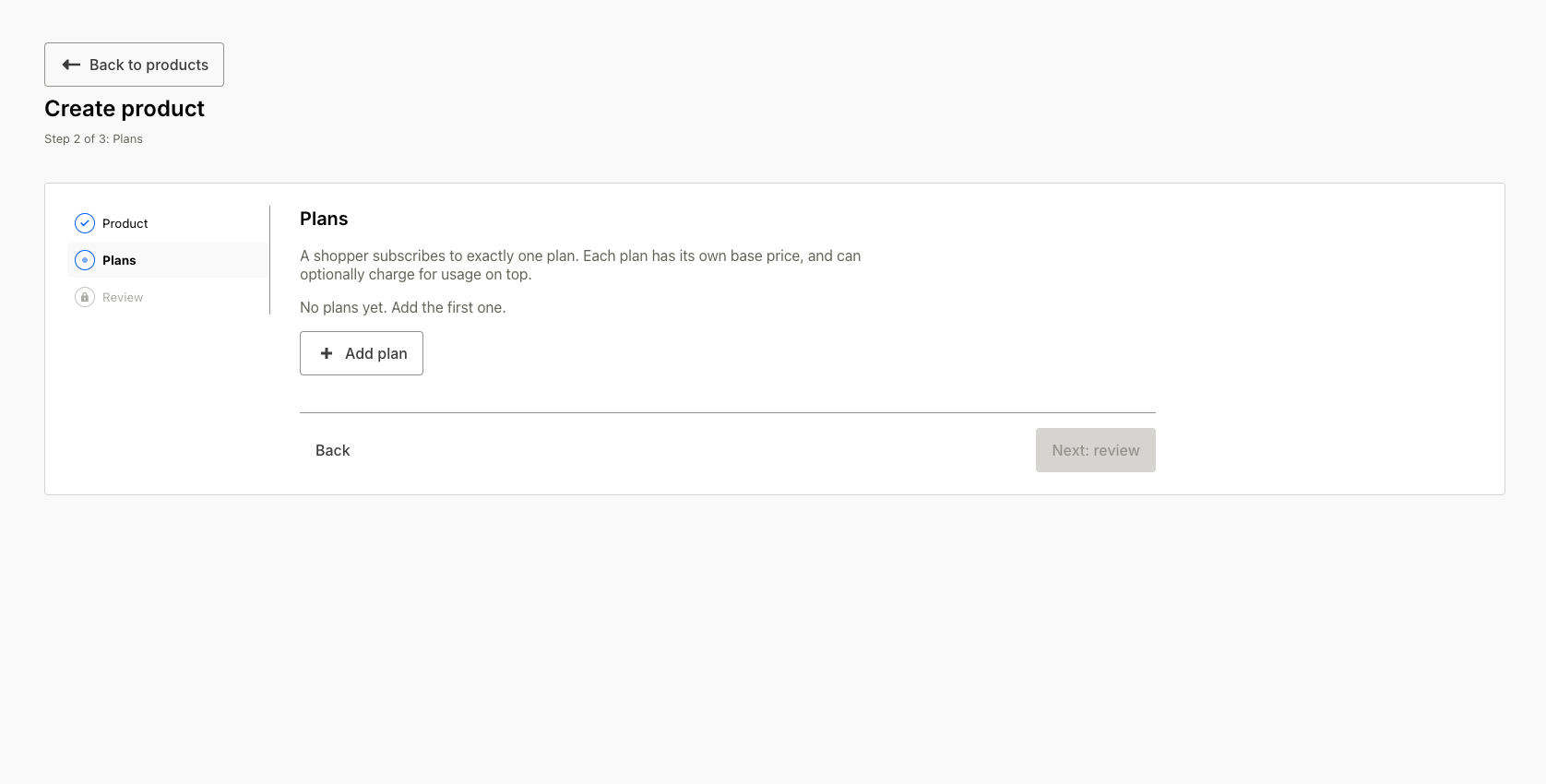
- On the Plans step, click Add plan and set the plan's name and billing frequency. Each plan has its own base price and can optionally charge for usage on top.
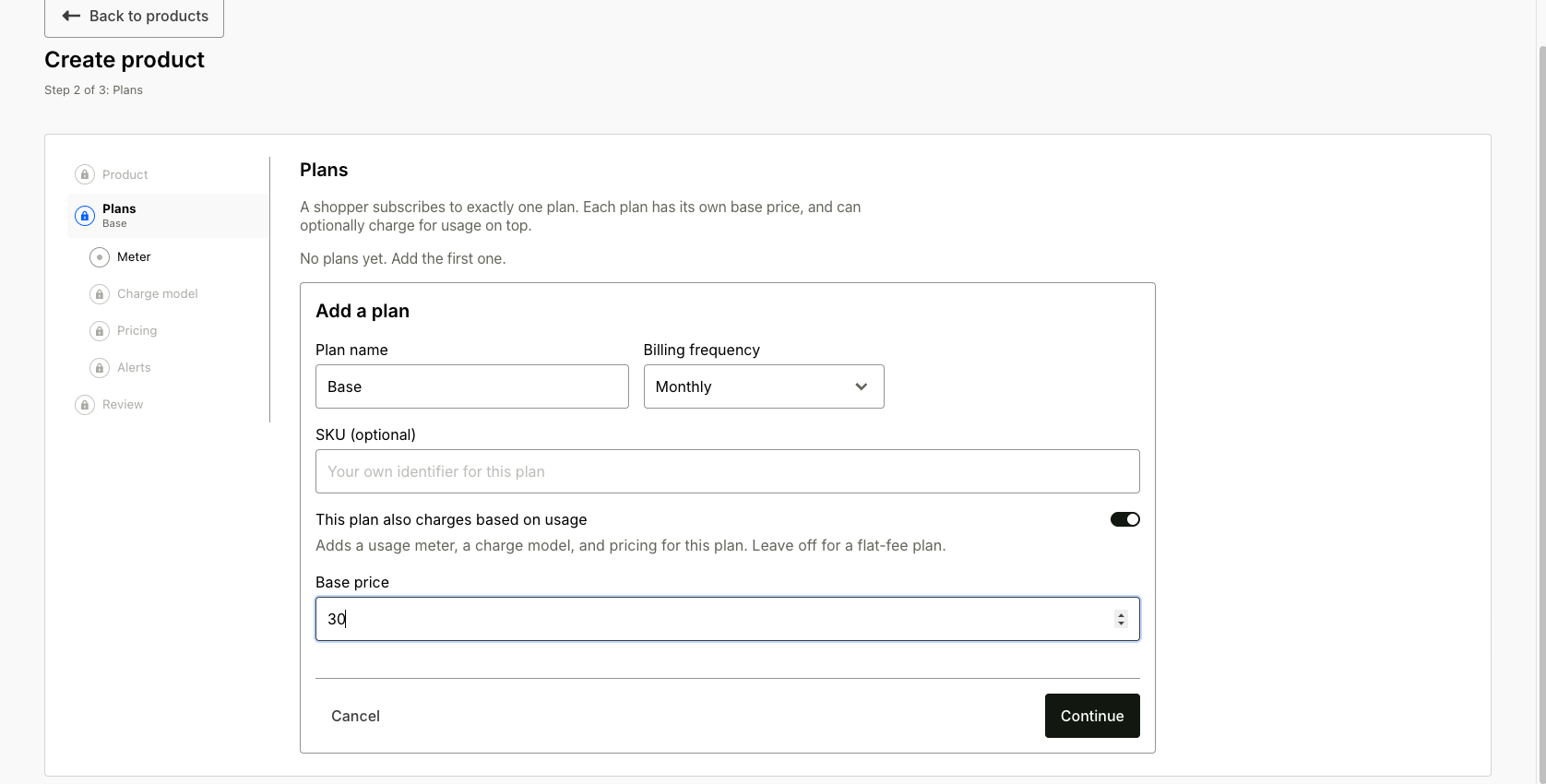
- Turn on This plan also charges based on usage and set the Base price (charged every cycle on top of usage; leave it 0 for pure pay-as-you-go). The toggle unlocks the usage steps for the plan: Meter, Charge model, Pricing, and Alerts.
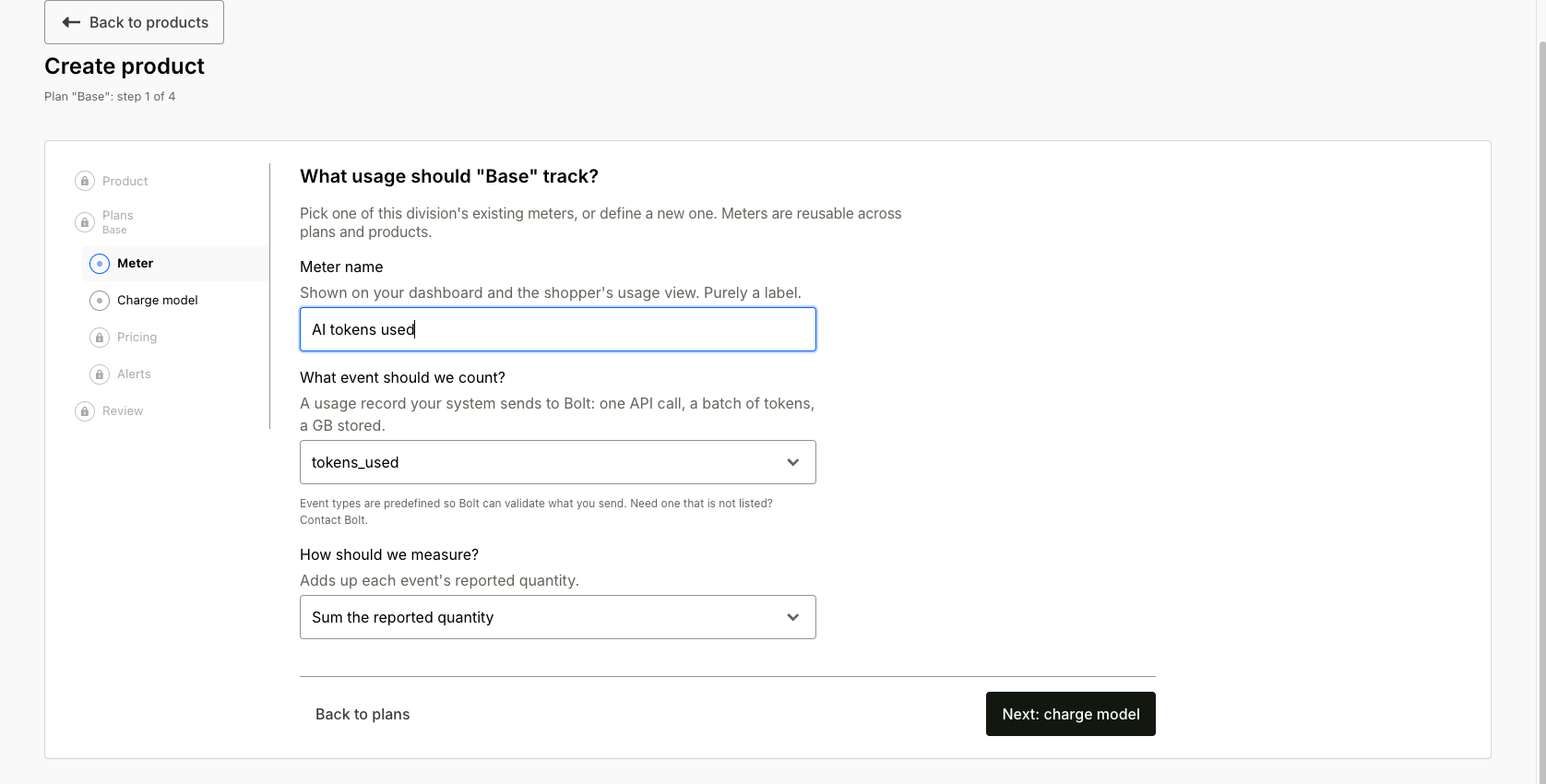
 5. Meter: reuse a meter you already report usage against, or define a new one: its name, the event to count, and how to measure it (sum the reported quantity, or count the number of events).
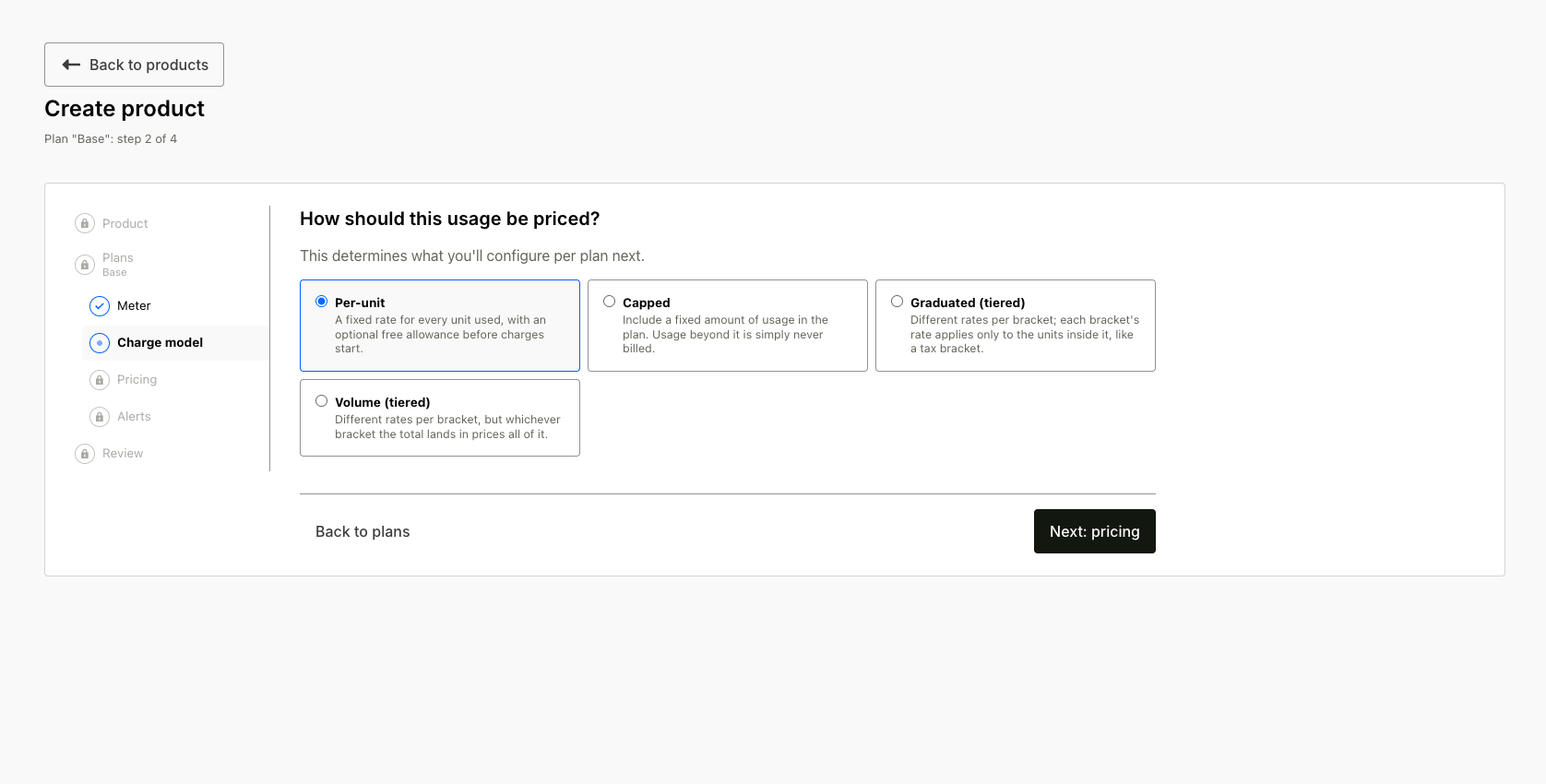
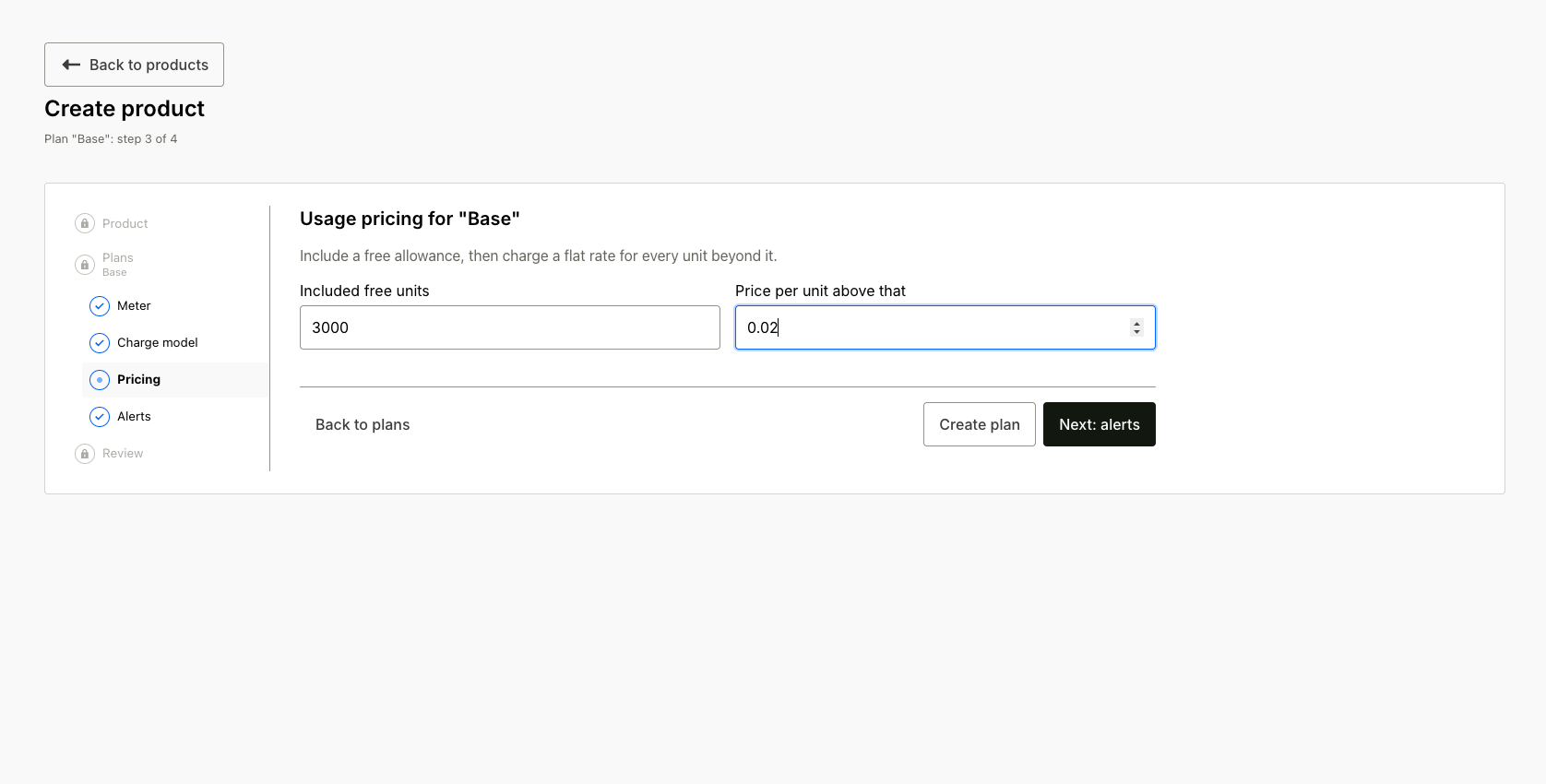
 6. Charge model and Pricing: choose Per-unit, Capped, Graduated (tiered), or Volume (tiered), then fill in that model's pricing. See choose a charge model below.
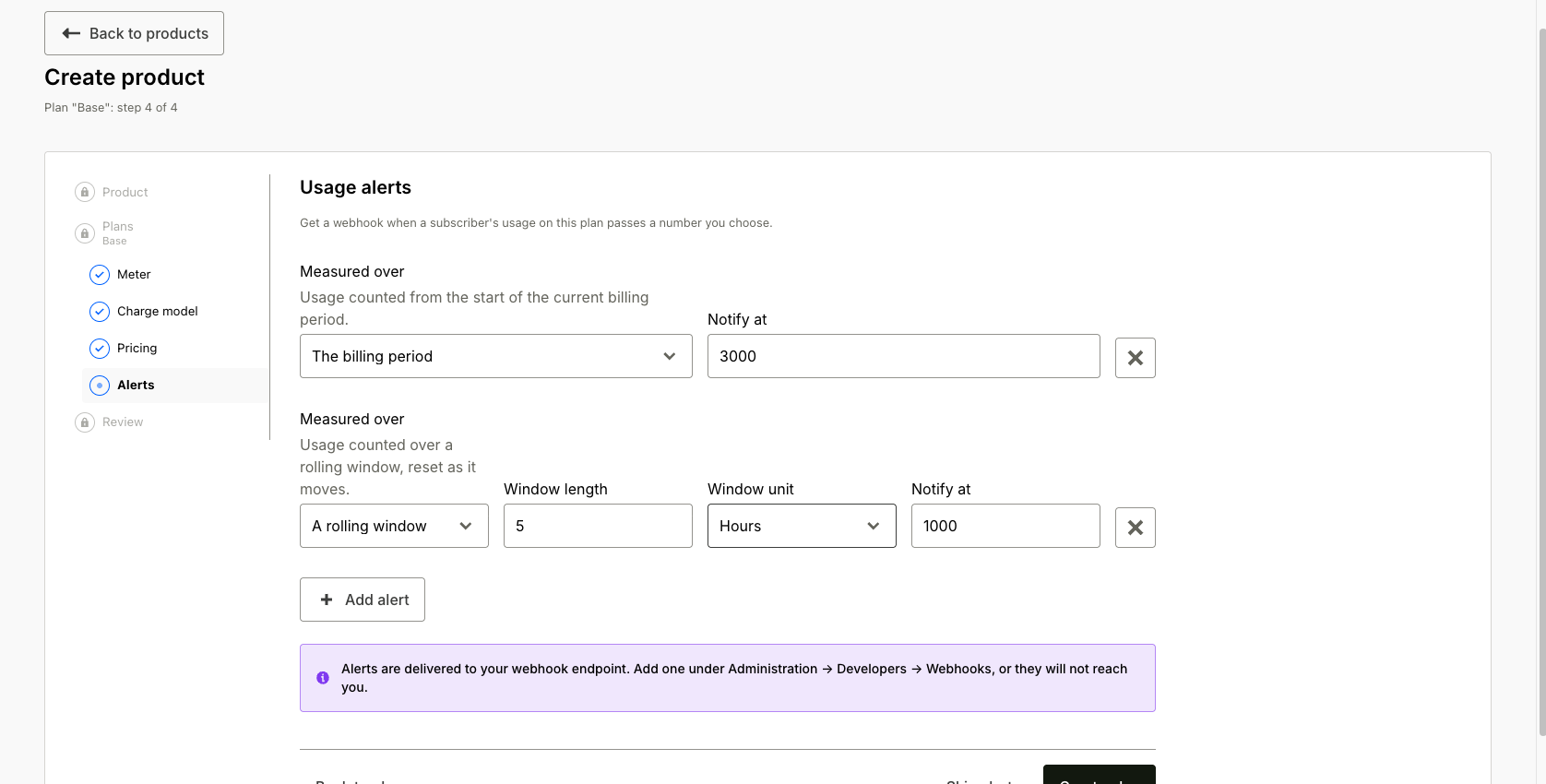
 7. Alerts: optionally add usage alert thresholds, measured over the billing period or a rolling window; see usage alerts. Alerts are delivered to your webhook endpoint (add one under Administration > Developers > Webhooks).
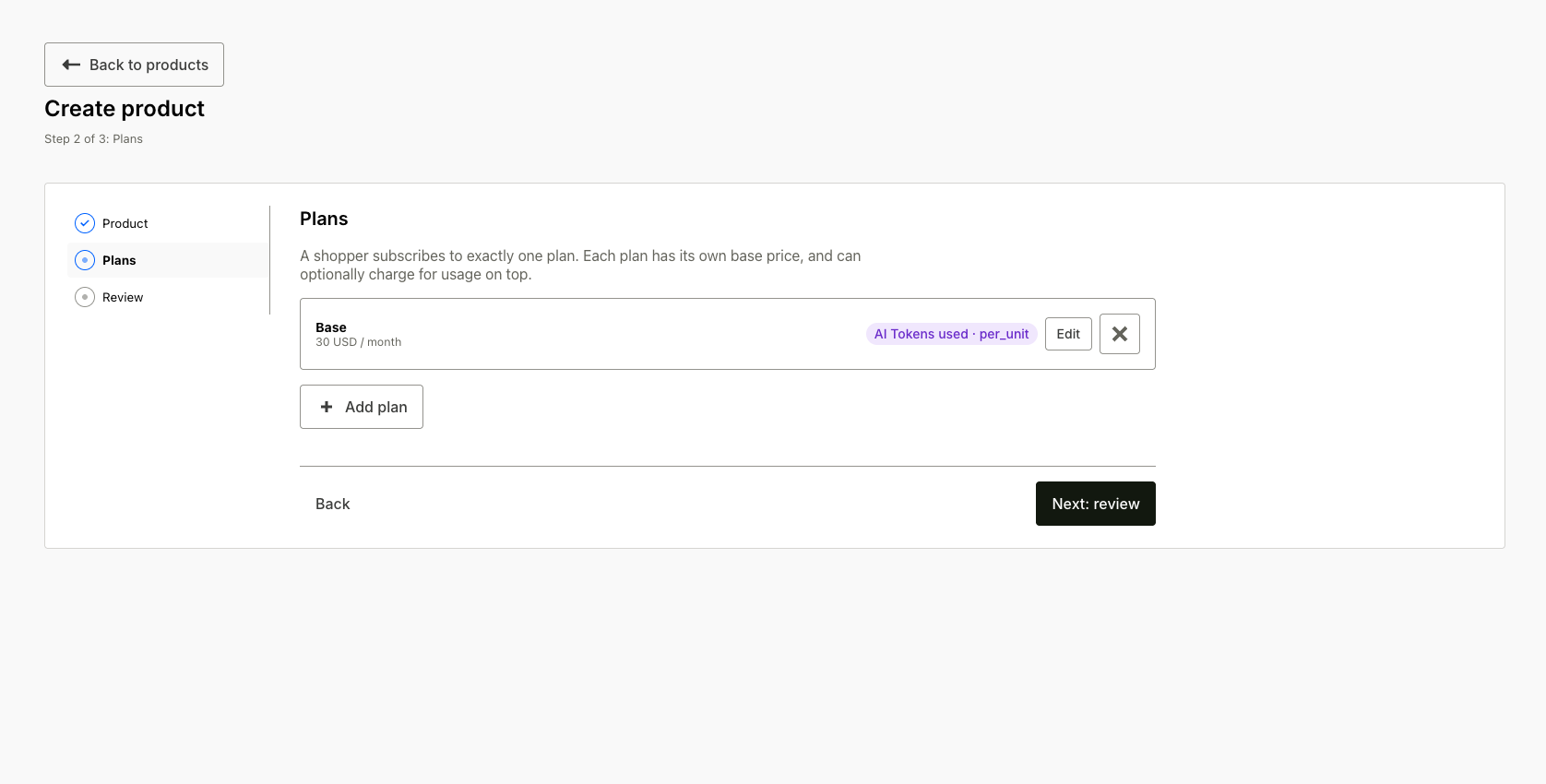
Creating the plan returns you to the Plans step with the plan card in place; add more plans or continue.
 8. Review and activate the product. The review page shows everything Bolt will use to meter, track, and bill usage for it.
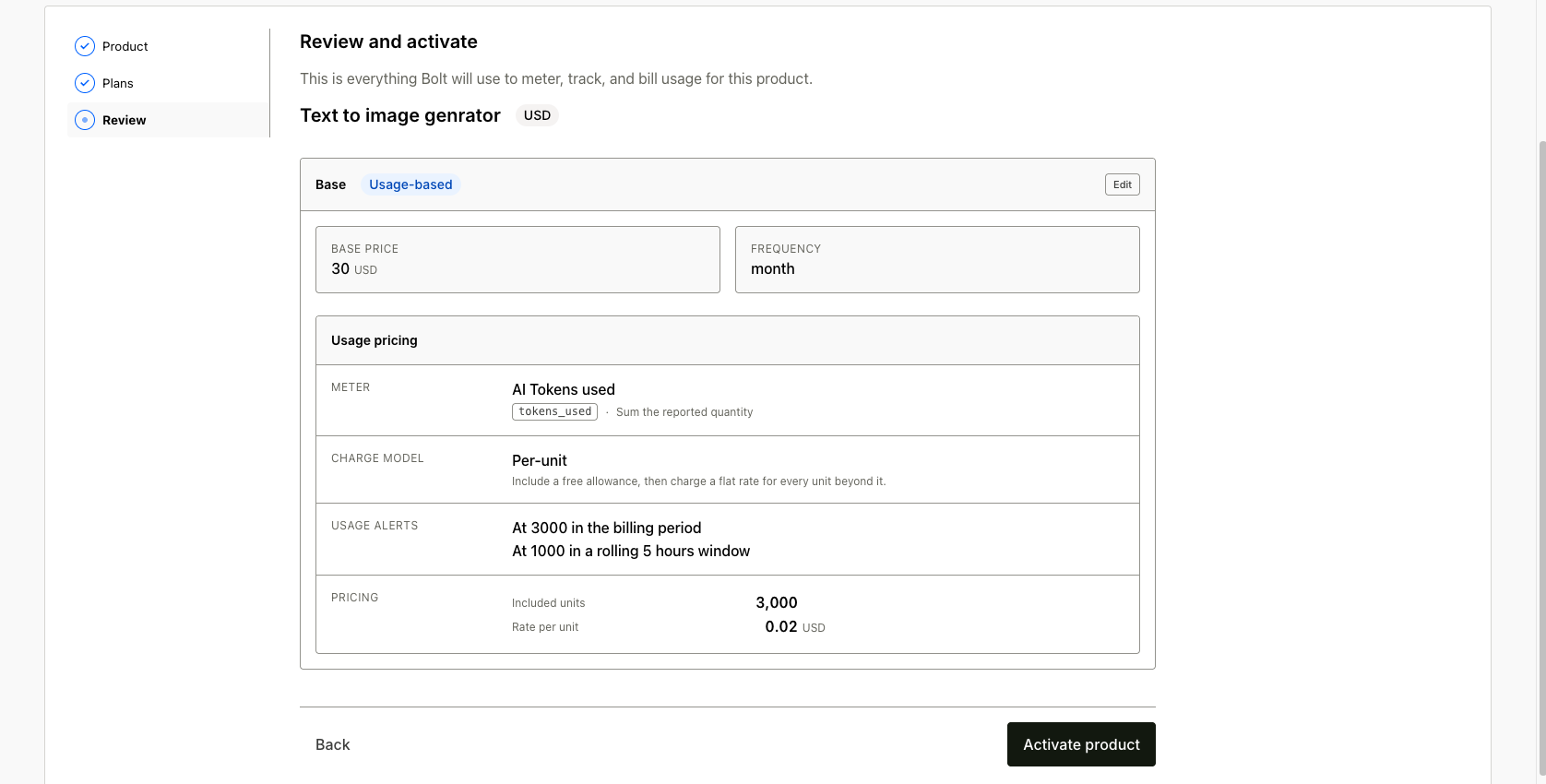
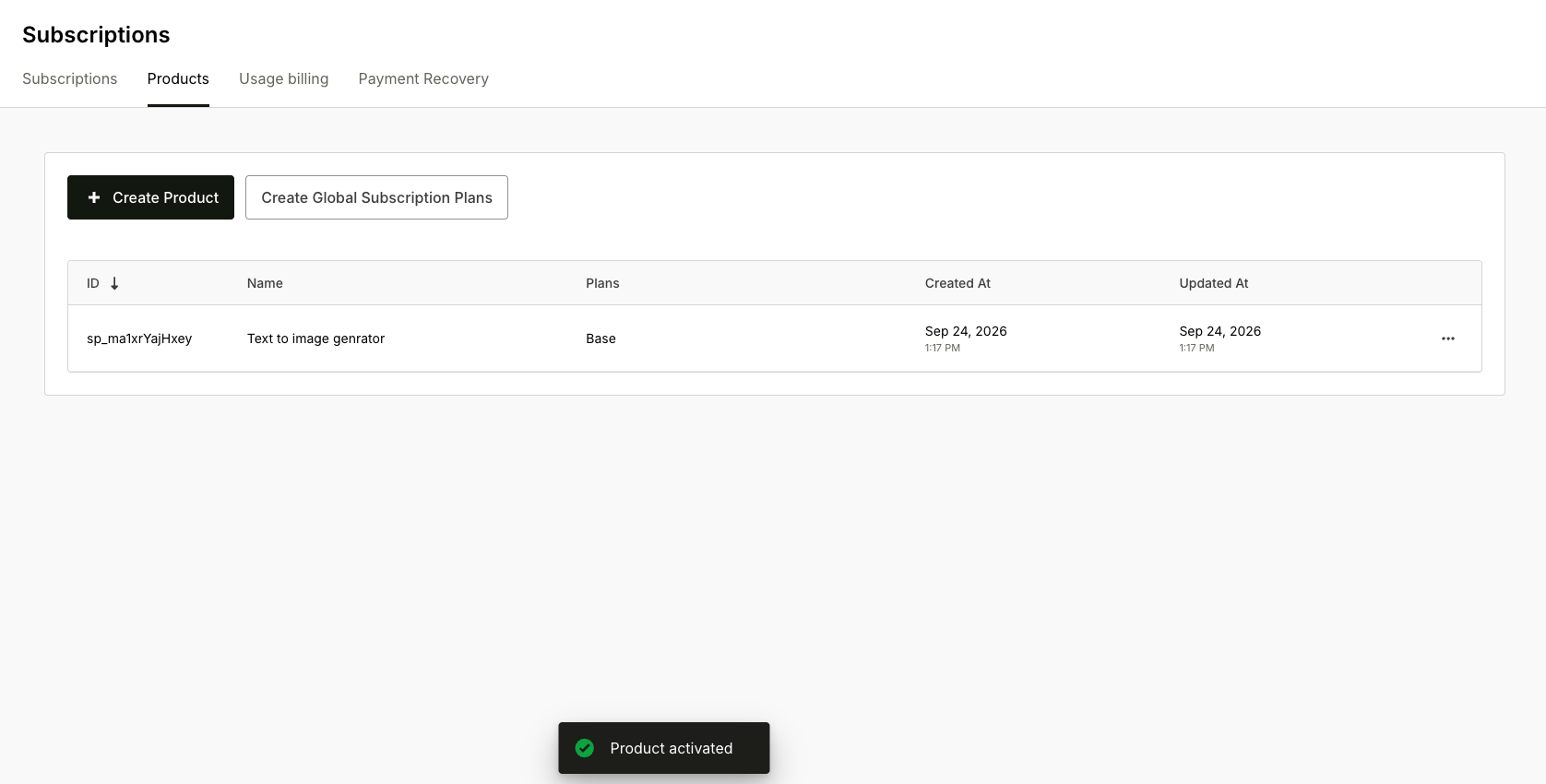
Pricing is fixed once a subscriber is on the plan; to charge a different rate, add another plan.
Review what you created on the Usage billing tab of the Subscriptions page: it lists the division's meters (event type, aggregation, filter, which plans use them) and charge models. A charge model locks once a plan references it, so a subscriber's price never changes underneath them; to charge a new price, add a plan.
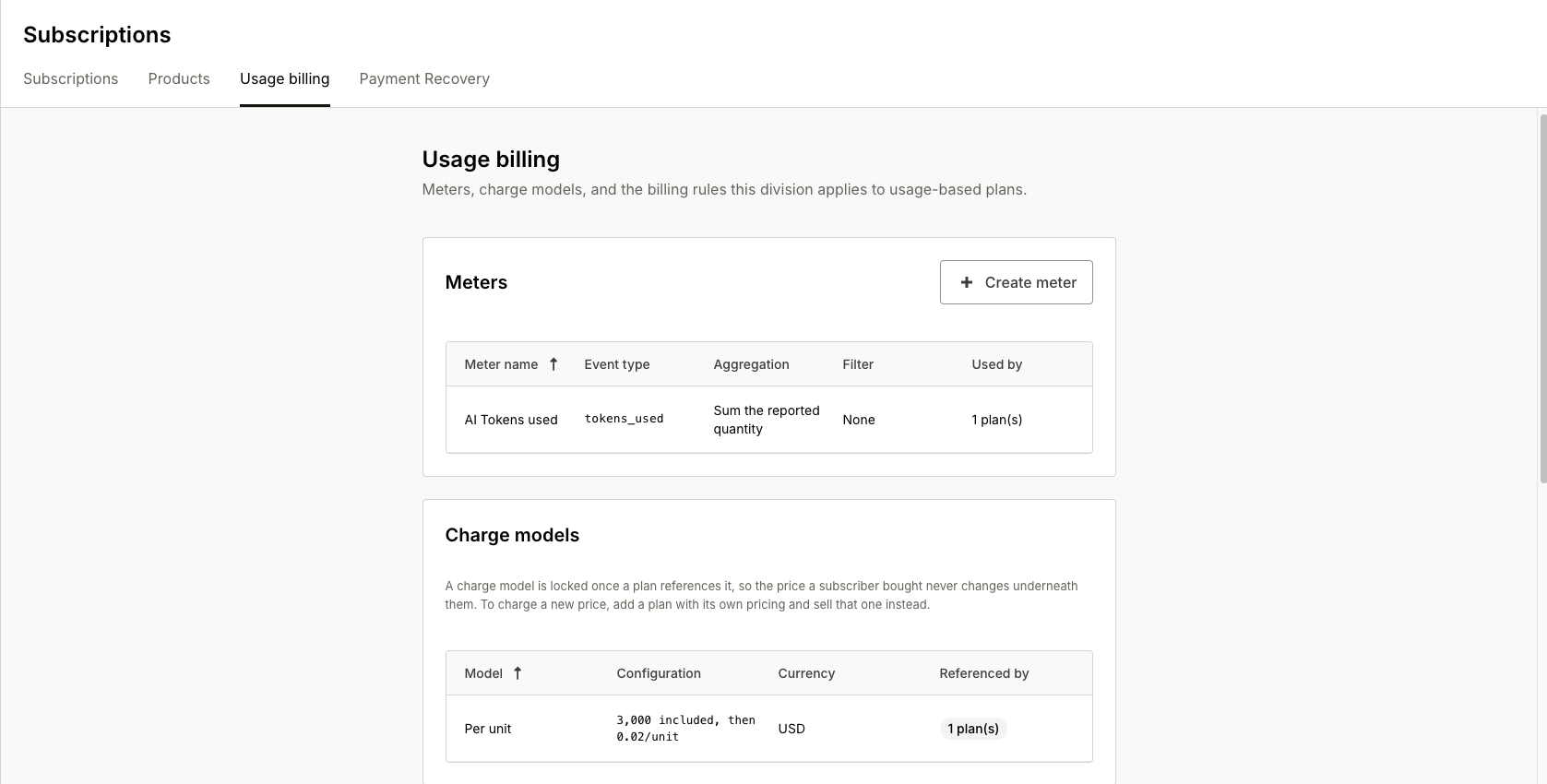
The same tab holds the division's billing settings: the usage acceptance window, invoice due days, dunning schedule, late fee, and automatic write-off. On Bolt Cart, the tab sets only the usage acceptance window, and failed charges follow your payment recovery settings. Review them before the first cycle closes.
Choose a charge model
The charge model sets how the period's metered total becomes an amount on the invoice. Pick the one that matches your price list.
| Charge model | How it prices | You enter |
|---|---|---|
| Per-unit | Units beyond a free allowance each cost the same amount. 1,000 included and $0.02 per unit after: 12,400 units bill 11,400 × $0.02 = $228.00. | Included units, unit price |
| Graduated (tiered) | Each tier prices only the units inside it. $0.50 for the first 100 and $0.30 after: 240 units bill 100 × $0.50 + 140 × $0.30 = $92.00. | Tiers, each with an upper bound and unit price. The last tier has no upper bound. |
| Volume (tiered) | The tier the total lands in prices every unit. $0.10 up to 1,000 and $0.07 above: 1,400 units bill 1,400 × $0.07 = $98.00. | Same tiers as graduated |
| Capped | Usage is included in the base price up to a hard limit and never billed. Reaching the limit fires a cap usage alert, and usage beyond it is recorded but not billed. | Limit |
Choose volume when heavier use should earn a lower rate on every unit. Choose graduated when the price of earlier units should never change. Unit prices are in the plan's currency.
Connect your event feed
Your servers report consumption to POST /v1/usage_events. The ingestion reference has the full contract. In summary:
- Send batches of events with your API key. Each event names the
event_typeyour meter counts, aquantity, the subscription's public ID, and a deterministicmerchant_event_idso retries never double-count. - Check each result in the response:
recorded,duplicate, orrejectedwith a reason. - Treat
storage_failureas retryable; fix any other rejection at the source.
Verify the first cycle
-
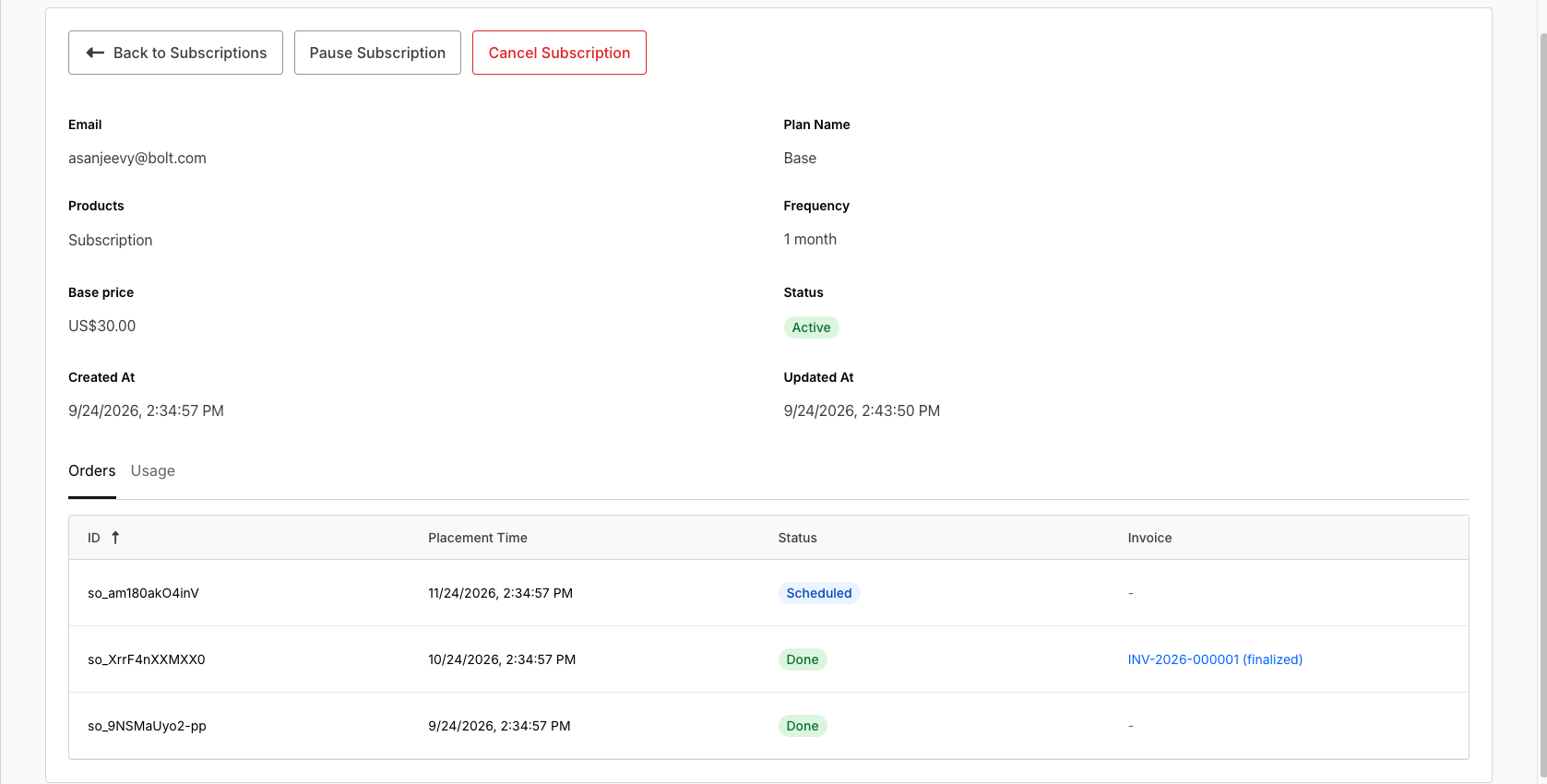
Complete a test checkout through the plan's link and confirm the subscription appears on the Subscriptions tab.
-
Send a few test events and confirm they come back
recorded. The subscription's Usage tab shows the metered total for the open period, recent tracking windows, and whether an alert fired.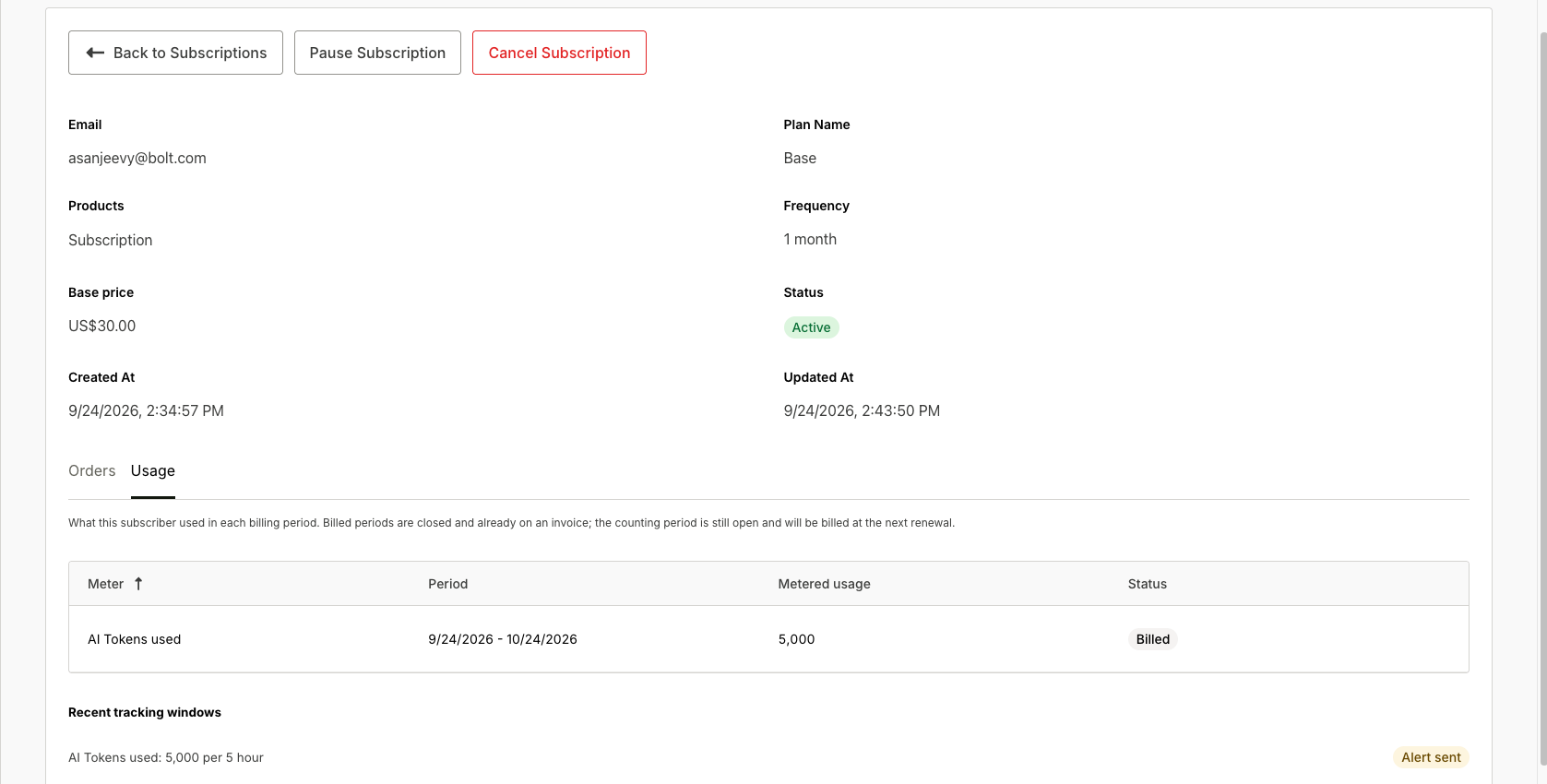
-
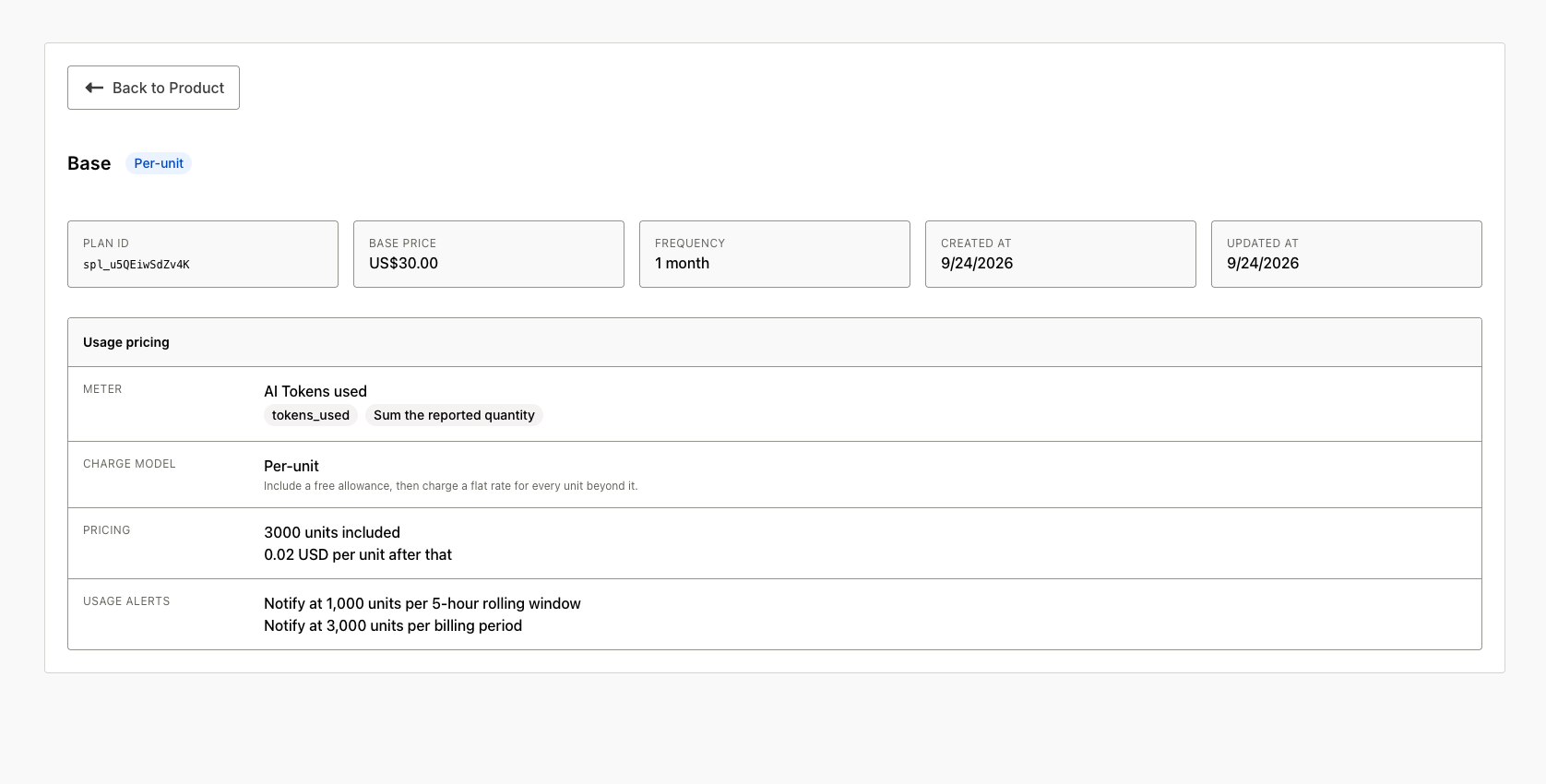
Open the plan's detail page: Usage pricing shows the meter and charge model; Usage alerts lists your thresholds.
-
After the cycle renews, the Orders tab links the cycle's invoice, which carries the base price and the rated usage line. On Bolt Cart, Bolt charges that invoice to the saved card automatically. Billing and invoicing explains the lifecycle from here, including what happens if it goes unpaid.