
TIP
Ways to track a Bolt order
- Bolt SuperApp: every Bolt order, plus deliveries from your Gmail or Outlook inbox. How to
- Your Bolt account: order history for every Bolt store at account.boltapp.com. How to
- Text messages: updates when your order is placed, shipped, out for delivery and delivered. How to
- The store’s website: order lookup on stores that offer it. How to
In the Bolt SuperApp
The Bolt SuperApp shows your Bolt orders and can follow deliveries from your inbox, so every package is in one place.
- Download the Bolt SuperApp from the App Store or Google Play and log in.
- On the Discover tab, tap Orders.
- Add orders from other places, if you like:
- Connect your email: tap Connect Gmail or Connect Outlook to track deliveries from your inbox automatically. Bolt gets read-only access, and you can disconnect at any time.
- Add delivery: tap Add delivery, enter your shipment’s tracking ID, then tap Search.
In Your Bolt Account
- Log in to your Bolt account with your email and the one-time code Bolt sends you.
- Go to Orders to see your order history across every Bolt store.
- Select an order number to see the order, item, shipping and payment details.
See View order history for more.
By Text Message
Shoppers can sign up for text message (SMS) order updates with participating stores. Both Bolt account members and guest shoppers can sign up. You’ll get a text when your order is:
- Placed
- Shipped
- Out for delivery
- Delivered
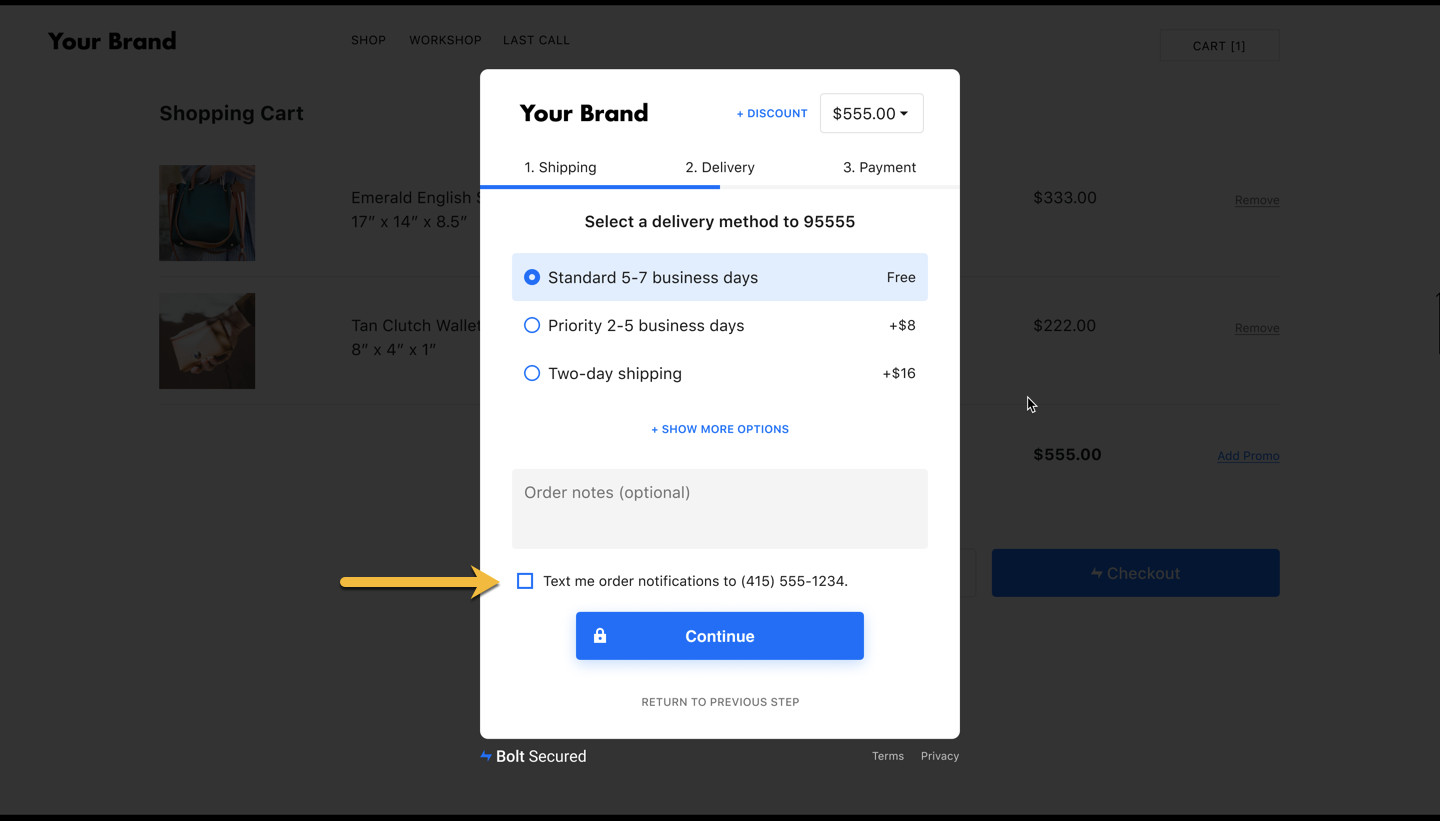
During Checkout
- Begin the checkout process.
- Fill out your shipping information and proceed to Delivery.
- Select Text me order notifications to ….
- Complete checkout.
From the Order Confirmation Page
- Complete checkout.
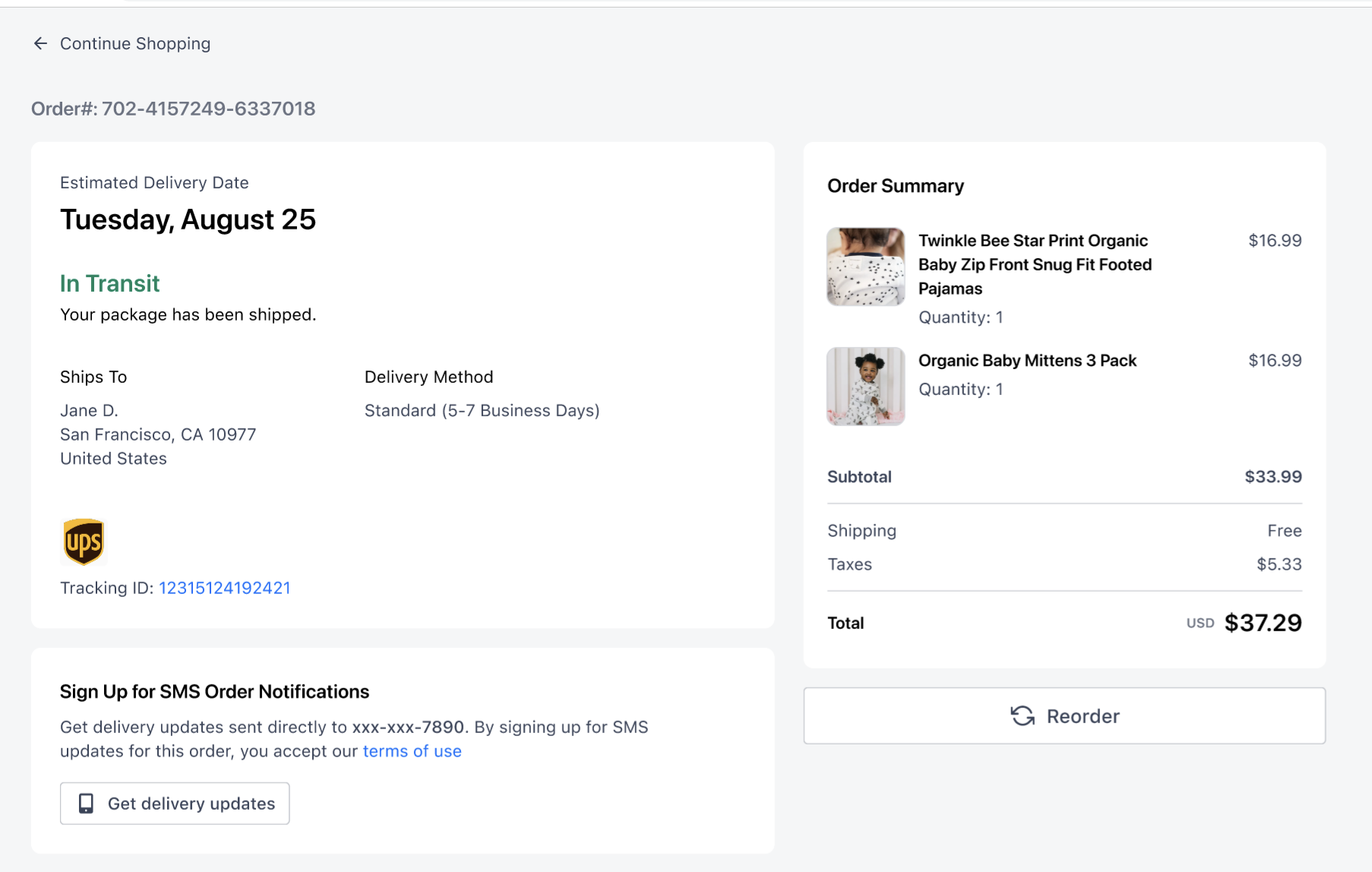
- Open your Order Confirmation page.
- Click Get delivery updates and enter your phone number.
Stop Text Updates
Reply to any order text:
- To stop texts from this store: reply
PAUSE. - To stop texts from all Bolt stores: reply
STOP.
On the Store’s Website
For stores that offer order lookup:
- Look for a button that says Track My Order or Order Lookup, which may appear in the top or bottom navigation.
- Enter your email address or order number. Your order number is in your order confirmation email.
- If prompted, enter the six-digit code Bolt sends you.
- Click Get delivery updates and enter your phone number to get text updates.

Frequently Asked Questions
How do I track my Bolt order?
Open Orders in the Bolt SuperApp or in your Bolt account. You can also get text updates or use the store’s order lookup.
Can I track orders I didn’t place with Bolt?
Yes, in the Bolt SuperApp. Connect your Gmail or Outlook inbox to track those deliveries automatically, or add a delivery with its tracking ID.
Where do I find my order number?
It’s in the order confirmation email the store sent you.
Do I need a Bolt account to track an order?
No. Guest shoppers can sign up for text updates at checkout or on the order confirmation page. To see every order in one place, log in to your Bolt account or the Bolt SuperApp.